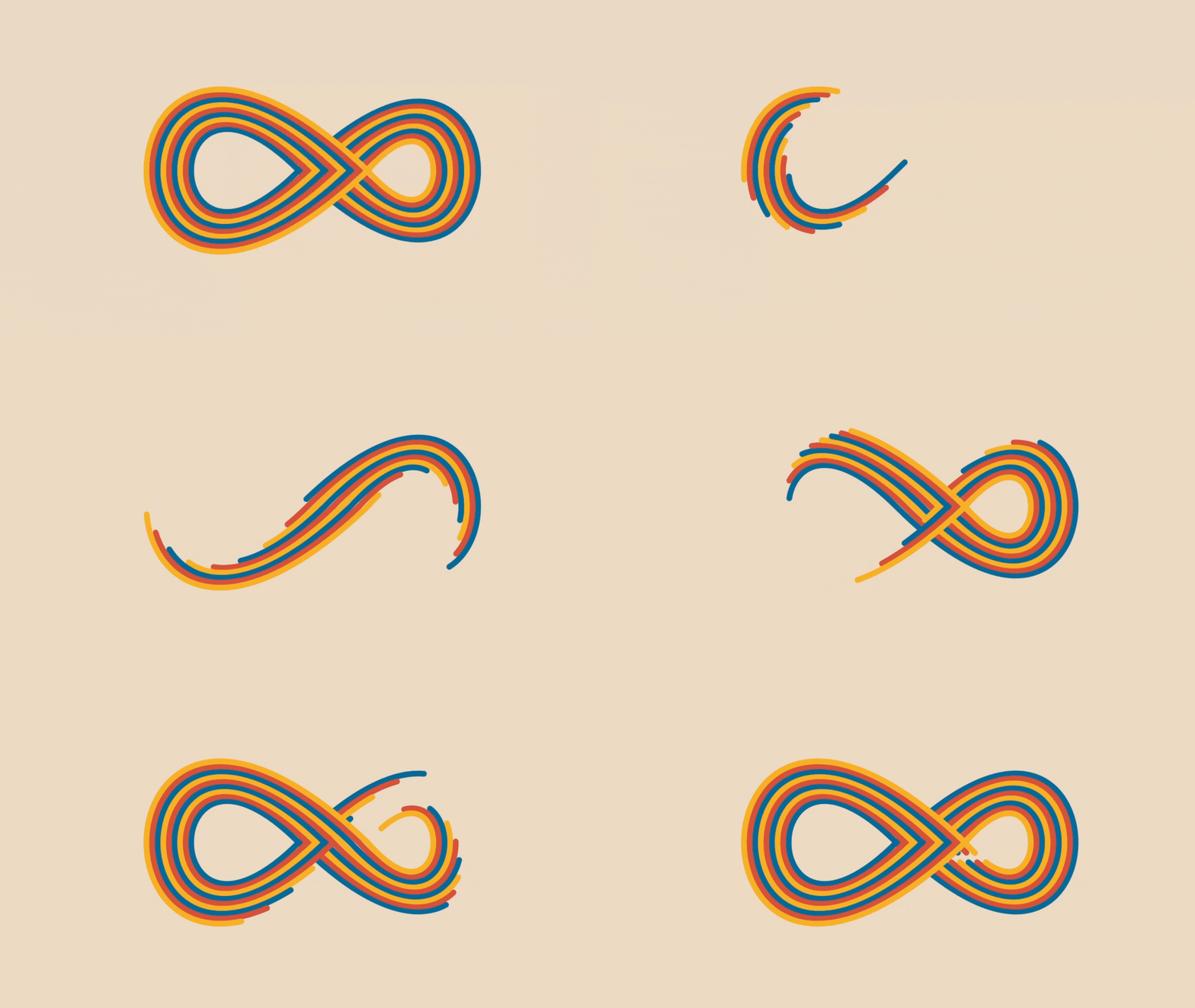
It was a lazy Sunday afternoon and out of boredom I decided to build something awesome but useless. And that’s when Dave’s Animation on Twitter caught my eye. It was a pretty amazing animation and my first thought was how can we build something like this in Flutter? 🤔
This curiosity took me back to one of my previous articles, Playing with Paths in Flutter, where we explored the basics of paths and how to draw shapes like lines, circles, and even polygon spirals. But none of those shapes could quite capture the elegance of an infinity symbol ♾️. That’s when the Bézier Curve stepped in to save the day.
What is a Bézier curve?
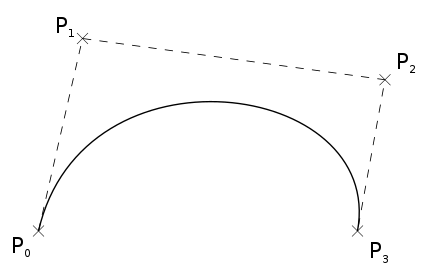
A Bézier curve is defined by a set of
control points
P 0 through P
n , where n is called the order of the curve ( n = 1 for linear, 2 for quadratic, 3 for cubic, etc.). The first and last control points are always the endpoints of the curve; however, the intermediate control points (if any) generally do not lie on the curve.
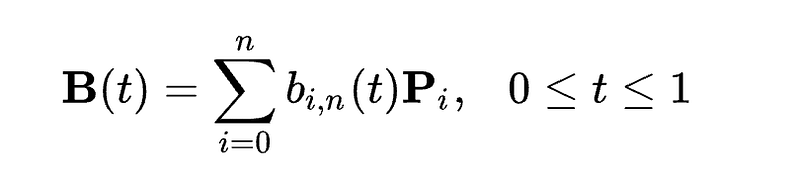
Where **B(t)**is the Bernstein polynomial, and:

Luckily we don’t have to dive deep into these algorithms as Flutter provides the following functions to draw Bézier’s path:
- **quadraticBezierTo:**Adds a quadratic bezier segment that curves from the current point to the given point (x2,y2), using the control point (x1,y1).
- **cubicTo:**Adds a cubic bezier segment that curves from the current point to the given point (x3,y3), using the control points (x1,y1) and (x2,y2).
Drawing the Inifity Path
My first try to build the infinity symbol was with Quadratic Bezier Curveby drawing the path from (x0,y0) to (x2,y2) with (x1,y1) as the control point.
final x0 = width / 2;
    final y0 = height / 2;

final x1 = width * 0.75;
    final y1 = height * 0.2;

final x2 = width;
    final y2 = height / 2;

final path = Path()
      ..moveTo(x0, y0)
      ..quadraticBezierTo(x1, y1, x2, y2);

canvas.drawPath(path, paint);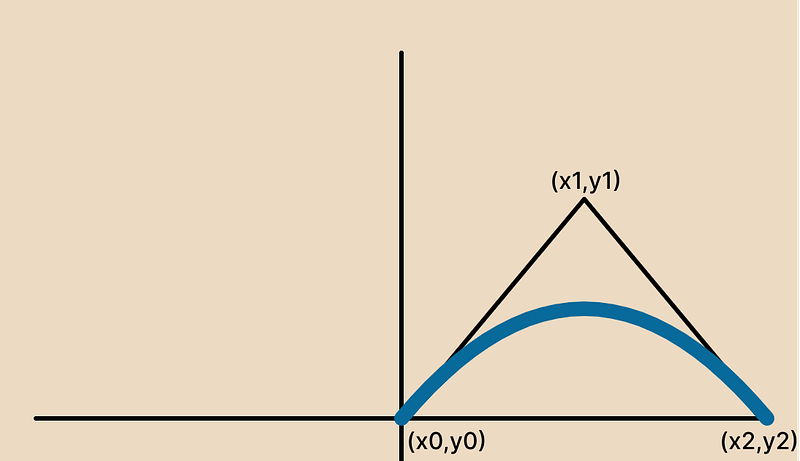
And then by copying similar paths in all the quadrants, we will get this result.
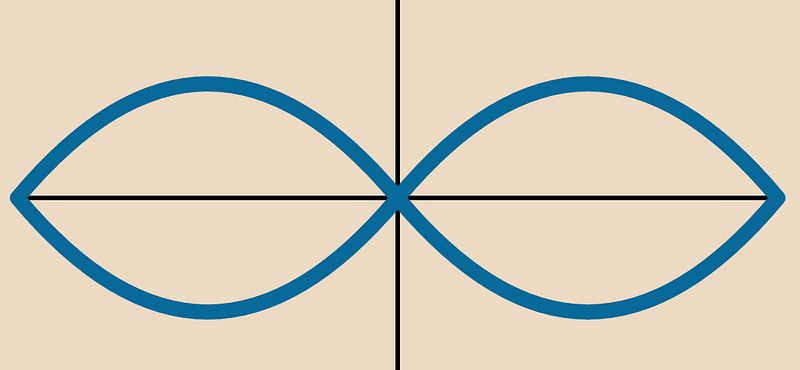
I won’t lie but this would be the worst infinity symbol you will ever see. So let’s try to build one with a Cubic Bezier Curve.
final x0 = width / 2;
    final y0 = height / 2;

final x1 = width;
    final y1 = 0.0;

final x2 = width;
    final y2 = height;

final x3 = width / 2;
    final y3 = height / 2;

final path = Path()
      ..moveTo(x0, y0)
      ..cubicTo(x1, y1, x2, y2, x3, y3);

canvas.drawPath(path, paint);
We will draw a cubic path from (x0,y0) to (x3, y3), using (x1,y1) & (x2,y2) as control points.
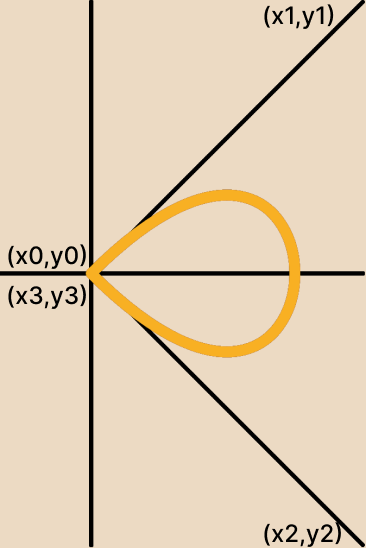
And similarly drawing the path on another side will give us the final result.
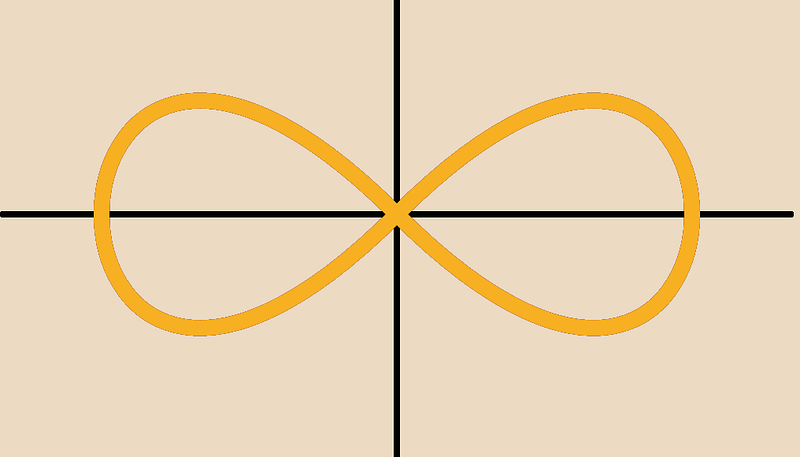
Pro Tip 🛠️ : If your infinity path looks more like a sad pretzel, double-check your control points. They make or break the shape!
Now that the hard part is out of the way, all that’s left is to create multiple infinity paths like this. To achieve that, we simply need to adjust the x and y coordinates.
import 'dart:ui';

import 'package:flutter/material.dart';

class InfinityPainter extends CustomPainter {
  InfinityPainter({
    required this.infinitiesLength,
  });

final int infinitiesLength;

late double width;
  late double height;

final colors = const [
    Color(0xFF086A9A),
    Color(0xFFD8523B),
    Color(0xFFF8B023),
  ];

@override
  void paint(Canvas canvas, Size size) {
    width = size.width;
    height = size.height;

for (int i = 0; i
 true;
}
Animating the path
This is where the magic happens. Animation turns static paths into living, breathing works of art. Using Flutter’s AnimationController, we can make the infinity loop come alive.
First, define the animation controller.
late AnimationController _controller;

@override
  void initState() {
    _controller = AnimationController(
      vsync: this,
      duration: const Duration(
        seconds: 10,
      ),
      lowerBound: 0.0,
      upperBound: 1.0,
    )..repeat();

super.initState();
  }
Pass the animation value as progress.
AnimatedBuilder(
          animation: _controller,
          builder: (context, _) {
            return CustomPaint(
              size: const Size(500, 500),
              painter: InfinityPainter(
                progress: _controller.value,
                infinitiesLength: infinitiesLength,
              ),
            );
          },
        ),
Finally, use the computeMetrics & extractPath to draw a path in parts.
final path = _getInfinityPath(strokeWidth, index);
    PathMetric pathMetric = path.computeMetrics().first;
    Path extractPath = pathMetric.extractPath(
      (pathMetric.length * progress) / 2,
      (pathMetric.length * progress),
    );

canvas.drawPath(extractPath, paint);
Animations are all about the details. I spent an embarrassing amount of time tweaking the duration, easing curves, and stroke styles to make it just right. Don’t be afraid to experiment - play with colors, add shadows, or even animate the stroke width for extra flair.
Checkout the GitHub Repository
Thank you for reading 👋
I hope you enjoyed this article. If you have any queries or suggestions please let me know in the comments down below.
You can connect with me on Twitter, Github, and LinkedIn. And subscribe to my newsletter to get an email notification for my latest articles.
Happy Coding… See you next time 👋